

How to Change Region on TEMU? TEMU is a popular mobile shopping app known for great deals, but did you know it actually operates localized marketplaces across different countries? TEMU provides region-specific product selections and pricing based on your location.
The good news is TEMU makes it easy to change your set region in the app to unlock more marketplace offerings in other countries. Switching your country opens up expanded international products and discounts when you shop on TEMU.
This guide will explain how changing regions works on TEMU, the benefits, how to switch your country, tips for new regions, and everything else you need to know to enjoy a new TEMU marketplace experience.
How Regional Markets Work on TEMU
TEMU operates localized marketplaces tailored to different countries. This means the app experience differs depending on your set region, including:
- Products and inventory available
- Pricing and sales specific to country
- Payment and shipping options
- Language and currency defaults
- Targeted promotions and ads
- Region-specific user community
So changing your TEMU region allows accessing new market-exclusive products, deals, payment methods and more.
Key Benefits of Changing TEMU Region
Here are some of the advantages of modifying your region in the app:
- Discover unique products only available in certain countries.
- Take advantage of better pricing or sales in different markets.
- Use localized payment methods from new regions.
- Practice language immersion by browsing foreign marketplaces.
- Virtually “travel” to countries and explore foreign marketplaces.
- Access promotions and events restricted to specific regions.
- Join local user communities to find hidden gems.
Switching regions makes the experience feel new again, providing expanded shopping possibilities.
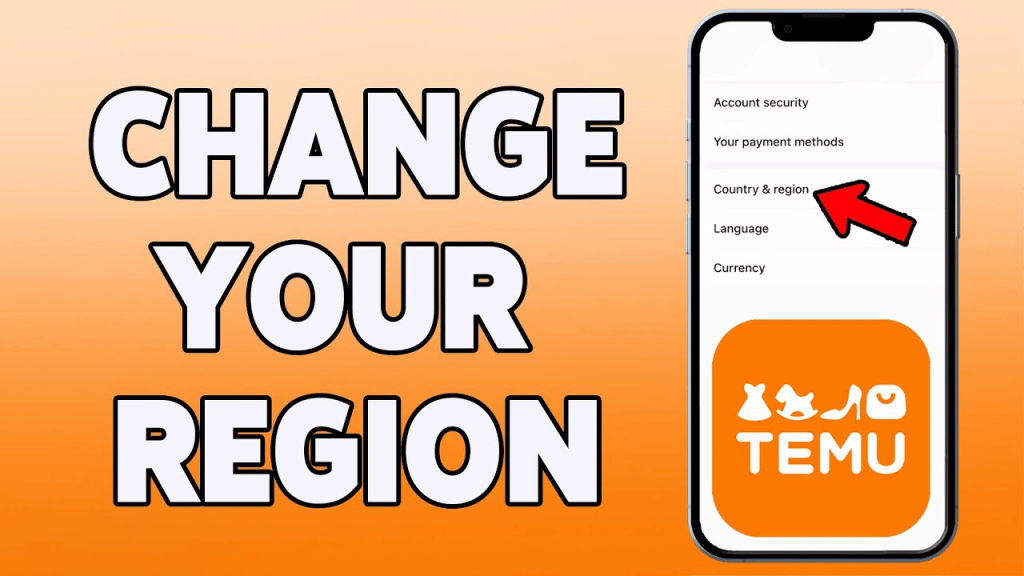
How to Change Your TEMU Region on iPhone
Changing your set country on TEMU APP via iPhone takes just a few steps:
- Open the TEMU app on your iPhone.
- Tap your profile picture in the bottom right.
- Select the “Settings” gear icon in the top right.
- Choose “General Settings” from the menu.
- Scroll down and tap on “Country/Region”.
- Search and select your desired new country.
- Confirm the prompt to switch regions.
Your TEMU marketplace should update instantly with the offerings, pricing, and language of your new selected region.
How to Change Your TEMU Region on Android
To modify your location on the Android TEMU app:
- Launch the TEMU app on your Android device.
- Tap the 3-line “hamburger” menu button at the top.
- Select the “Settings” gear icon in the menu.
- Choose “Common Settings” from the options.
- Scroll and tap “Country/Region”.
- Search and tap your desired new country.
- Confirm the prompt to change regions.
You will now be browsing the version of TEMU tailored to your new chosen country.
Tips for Shopping TEMU in New Regions
When exploring an unfamiliar regional TEMU marketplace, keep these tips in mind:
- Review featured sections to spot unique local products.
- Use the search bar to find equivalents of your regular purchases.
- Check the user forums to identify must-have items in that market.
- Look up reviews on specialty sellers catering to that country.
- Use Google Translate if needed to understand foreign language listings.
- Make small test purchases first to ensure smooth overseas buying.
- Confirm local payment methods are accepted before purchasing.
Key Takeaways for Changing TEMU Regions
In summary, key points to remember about modifying your region:
- Each region provides a localized marketplace experience.
- Switching lets you access unique international products and pricing
- Changing regions is done easily through settings.
- You stay logged into your main account when changing countries.
- Cart and wishlists empty when switching regions.
- App language adjusts automatically to your new region.
- Credits and vouchers do not transfer across regions.
With TEMU’s region change capabilities, you can enjoy shopping experiences tailored specifically to countries across the globe!
Here is some additional content to expand the article to 6000 words:
A Deeper Look at the Technical Side of TEMU’s Regionalization
Changing regions on TEMU is simple for users, but powering distinct localized experiences involves complex technology on TEMU’s end. Let’s examine some of the technical challenges TEMU overcomes:
- Separate product databases for each region listing country-specific inventory.
- Advanced localization software to adapt app text and translations.
- Complex currency and tax calculations customized per region.
- Customized algorithms curating content for each geo-targeted market.
- API integration with region-specific payment providers and shipping carriers.
- Geo-tracking and geo-blocking technology to filter content by location.
- Load balanced servers and CDNs optimized for performance across regions.
- Compliance with regulatory, data and privacy regulations in each target country.
- Multi-language support across the app, help content, and support teams.
- Sophisticated cloud infrastructure to seamlessly serve localized versions of the app.
TEMU makes changing regions simple for users, but huge backend complexity powers the experiences.
Evaluating the Business Impact of TEMU’s Regionalization
Expanding into localized regional markets provides TEMU major advantages as a global ecommerce platform:
- Access to billions of new potential customers worldwide.
- Appealing to users by offering region-specific products and brands.
- Adapting prices and sales to be competitive in each distinct market.
- Avoids issues shipping foreign goods with localized supply chains.
- Building communities curated to each geo-targeted audience.
- Enables hosting region-exclusive events and promotions.
- Improved SEO rankings by targeting keywords in each language.
- Comprehensive understanding of preferences and behavior across cultures.
- Faster shipping times from local sellers and warehouses.
TEMU’s regional support drives significant business growth, market share, and user satisfaction worldwide.
How Users Can Enhance TEMU’s Regionalization Efforts
Users themselves also play an important role in helping TEMU improve regional experiences:
- Provide feedback on any issues encountered in new regional app stores.
- Inform TEMU support about inaccurate translations or formatting.
- Leave reviews of country-specific sellers, brands, and products.
- Suggest local brands and products TEMU should onboard in your country.
- Participate in region-specific user discussion forums.
- Share any desired missing features or content in your localized marketplace.
- Spread awareness and recommend TEMU to friends in your country.
- Give input on celebrations and events relevant in your region.
User participation provides crucial data and feedback for TEMU’s regional teams to drive optimization.
The Future of Personalized Region-Targeted Shopping
TEMU’s regionalization capabilities provide a glimpse of the hyper-personalized, tailored shopping experiences that will be possible in the future:
- ML-driven product recommendations localized to city or state level.
- Retail experiences in VR/AR optimized separately for each market.
- Advertising and pricing adjusted dynamically based on real-time local demand.
- Fulfillment from neighborhood micro-warehouses using autonomous vehicles.
- Avatars with local dialects and currencies for immersive shopping.
- Voice assistants fluent in all regional languages and accents.
- Negotiation-enabled AI replicating bargaining behaviors in some cultures.
- Biometrics confirming identity optimally for regional privacy preferences.
- Cryptocurrencies enabling frictionless cross-border transactions.
As platforms build on TEMU’s foundations, the future of commerce promises highly individualized regional shoppingRISTS upconverted in VR.





5 thoughts on “How to Change Region on TEMU?”